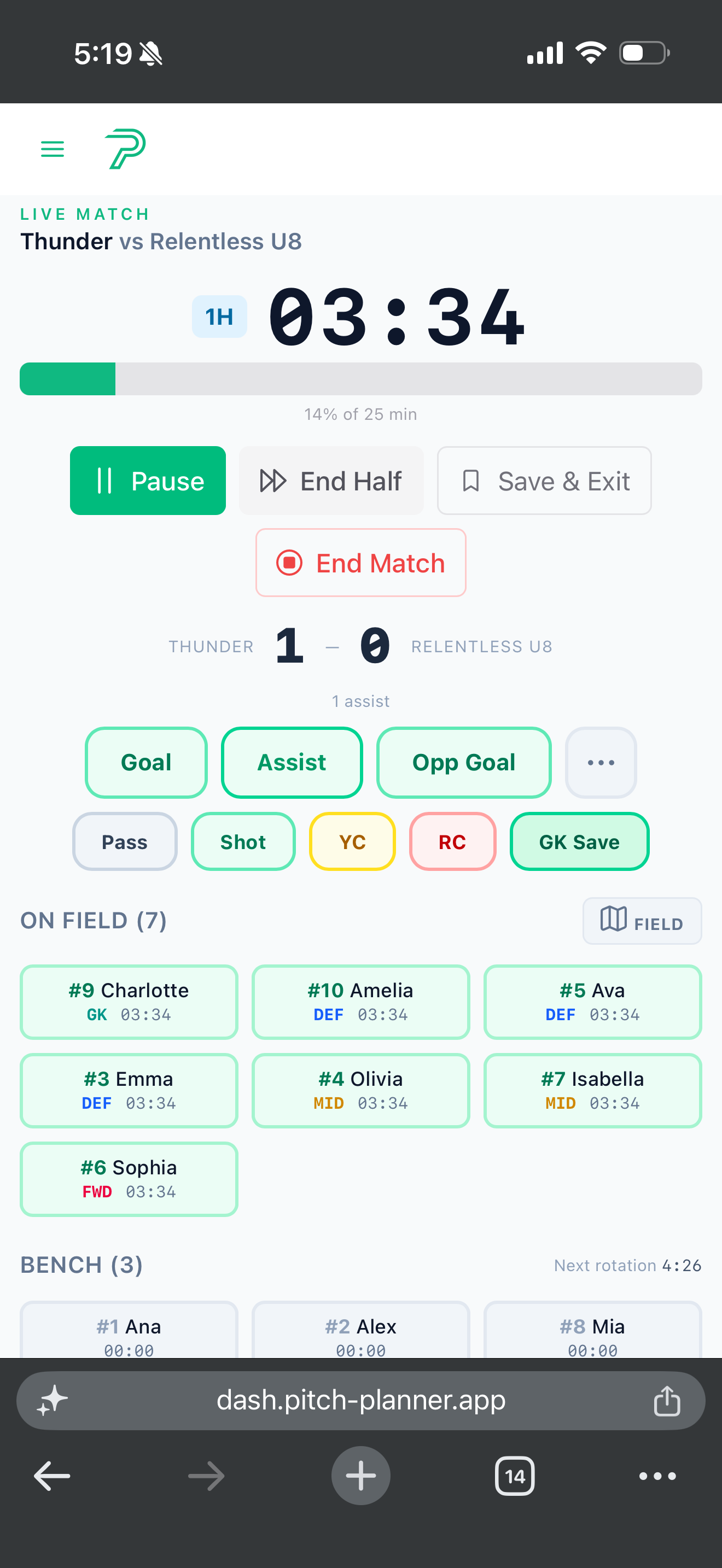
Youth formats
Build 4v4, 7v7, 9v9, and 11v11 lineups for the team in front of you.
Create 4v4, 7v7, 9v9, and 11v11 lineups, assign real players to clear roles, and use the same roster for substitutions and player-minute tracking.
Choose a format, assign players, and keep the bench ready.
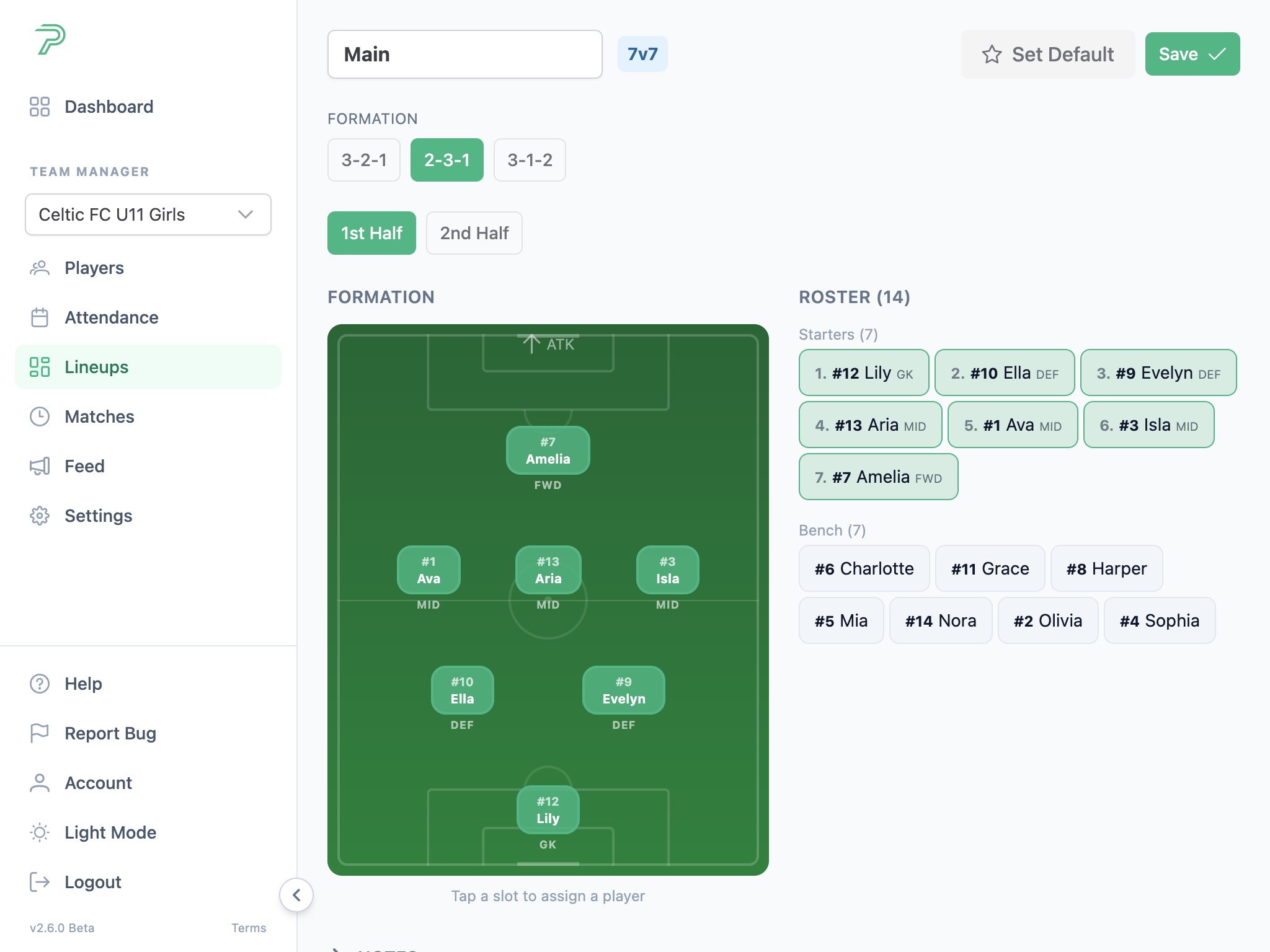
Choose a youth format, pick a formation, then tap a position and a bench player to test a substitution. This sample shows how the lineup works; the full Pitch Planner app saves your roster for live substitutions.
7v7 · 2-3-1 loaded. Tap a player on the field to test a substitution.
Select a field player first, then choose a bench player. Your sample roster stays on this page.
If your team needs width, test a shape with wide midfield roles before you assign the bench.
If turnovers split the team, test an extra defender or holding player before kickoff.
If the roster changes late, swap the player on the field, then update the match plan.
Choose the format, assign the players, and keep the first substitution plan with the lineup.
Choose 4v4, 7v7, 9v9, or 11v11 before assigning positions so the field shape matches the match.
Assign a position players can understand, with a simple team shape that is easy to teach before the match.
See who is starting, who is available, and who should be ready for the first rotation before the match starts.
Use the same roster for live substitutions and player-minute tracking without rebuilding the plan during the match.
See Match DayA soccer lineup maker should show the format, formation, player positions, and available bench in one place. Players know their roles, and the coach can plan the first change.
Save a normal lineup, adjust it for absences, and move the same roster into live substitutions when the match starts.
Set the format, roster, bench, and player-minute plan before the match.
Build 4v4, 7v7, 9v9, and 11v11 lineups for the team in front of you.
Reuse a normal shape, then edit it quickly when players are absent or roles change.
See who starts, who sits, and how the next rotation can protect the shape.
Move from lineup to live substitutions and keep player-minute totals current.
Track player minutesStart with the format, choose a shape, and make the plan useful beyond the lineup graphic.
Use the soccer lineup app to set the format, formation, bench, substitutions, and player-minute tracking.
Run the live substitution tracker after the lineup is set.
Review who played, who is short, and what should change next week.
See common 7v7 shapes and rotation notes for youth teams.
Compare 9v9 formations for teams moving toward full-sided soccer.
Use the product help guide for field sizes, formations, and assignments.
Create a youth soccer lineup, run substitutions, and keep accurate player-minute totals during the match and in the recap.